


FaxFlow: Send & Receive Fax
4.83.36K Reviews
App Specs
- Version
- 1.2.5
- Updated On
- License
- Free
- Downloads
- 100,000+
- Developer
- Mobile Flow Ltd
- Categories
- Business
- Platform
- Android
Screenshots
 Analysis by AppCompare
Faxing is one of those tasks that can interrupt an otherwise ordinary day: a form needs to reach an office, but the nearest traditional machine is nowhere convenient. FaxFlow - Send Fax from Phone is aimed at that specific moment. I see its appeal less as a replacement for every document workflow and more as a way to handle an occasional fax without arranging a trip to a print shop or keeping a fax machine around.
Where a phone-based fax fits
FaxFlow is a business app from Mobile Flow Ltd, and its central idea is straightforward: prepare a document on your phone and send it as a fax. That can be useful for someone dealing with forms, signed paperwork, or office requests while away from a desk. It is also a practical option for a small business owner who does not send enough faxes to justify maintaining dedicated equipment.
The key distinction is that mobile faxing solves a delivery problem, not every paperwork problem. You still need the right file, the correct destination number, and a legible document. I would treat the app as the final step in a careful document routine rather than assume that putting a file on a phone automatically makes it ready to send.
A sensible routine before sending
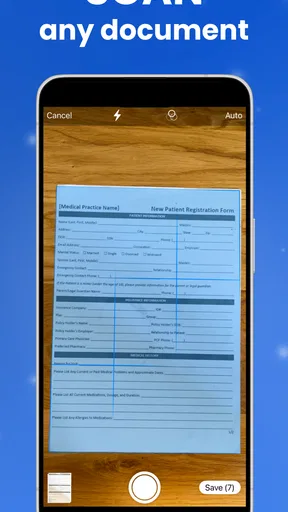
Before starting a fax, I would check the document itself, not just the recipient field. Make sure every page is present, text is readable at phone size, and any signature or handwritten note is clear. If you are photographing a paper original, place it on a flat surface with even light and keep the camera parallel to the page; a quick review of the scan can prevent a blurry or cropped submission.
For a document already stored on your phone, use the version you intend to submit rather than a convenient but outdated copy. A useful habit is to give files meaningful names before selecting them, especially when several forms have similar titles. That small bit of preparation makes it easier to catch a mix-up before the fax goes out.
Getting Started with FaxFlow
Jumping into FaxFlow is as easy as pie. All you need to do is download the app from your respective app store, whether you’re on Android or iOS. Once you have it installed, you’re greeted with a sleek and intuitive interface that even your technophobic grandma could navigate. Seriously, it's one of those apps that makes you go, “Why didn’t I think of this?”
Setting up is a breeze. You just need to create an account or log in with your existing credentials. The app then walks you through a simple setup process, and voilà, you’re ready to start faxing away.
Worth Reading Before You Choose

EA SPORTS FC Mobile 26 Is a Bigger Football Game, but It Takes Time

Flipboard Shows What News Apps Must Do Beyond the Feed

Switching to Android Auto Means Rethinking Your Driving Routine

Google Calendar Makes a Crowded Week Easier to Manage

Ludo King Makes the Most of the Minutes Between Plans

Baby Panda World Brings Quick Play to Modern Phones, but Its Game Library Feels Busy
Settings and choices worth checking
A first-time setup is a good moment to read each screen rather than tap through automatically. In particular, pay attention to any choices connected with account access, document handling, and the way you plan to pay if you later use the service regularly. The app is free to install, but in-app purchases range from $9.99 to $199.99 per item, so I would check the current purchase details inside the app before committing to a paid option.
That range makes frequency an important part of the decision. If you only need to send a fax once in a while, compare the cost of the particular option shown to you with the price of using a local fax service. If faxing is part of your work routine, consider the likely volume before choosing any recurring arrangement. The best fit depends on your own use, not simply on whether a phone app feels more convenient.
The Features that Make FaxFlow Shine
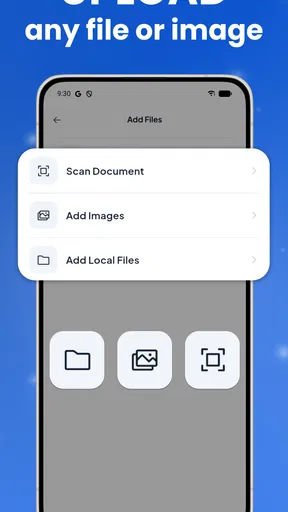
So, let’s dive into the nitty-gritty of what makes this app stand out. First off, FaxFlow supports a wide range of document formats. Whether you have a PDF, JPEG, or DOCX, this app has you covered. I found this particularly useful because, let’s face it, no one wants to jump through hoops trying to convert files before sending them.
Another feature that I absolutely love is the document scanner. You can simply use your phone’s camera to scan documents directly into the app. It’s pretty neat and saves you the hassle of needing a separate scanner app. Plus, the quality of the scanned documents is surprisingly good, with clear text and sharp images.
Making repeated tasks less fiddly
For repeat faxing, the biggest time-saver is a consistent preparation habit, not a shortcut I would assume the app has. Keep a clean copy of the form you often need, check that it is the latest version, and prepare any cover-page details before you begin. When the same office receives documents from you regularly, verify its fax number against a trusted source each time it matters; a familiar contact is not a reason to skip that check.
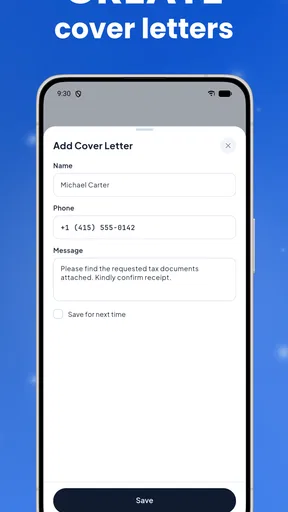
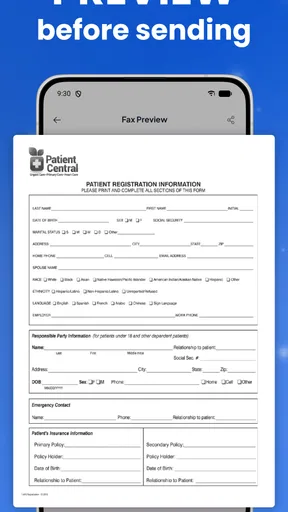
For an everyday example, imagine a clinic asks for a signed form while you are away from home. You can photograph the completed pages, inspect the edges and text, select the file, and enter the clinic’s fax number. Before sending, check whether the pages are in the right order and whether the cover page identifies the intended recipient without adding unnecessary personal details. This is a small workflow, but it reduces the chance of sending an incomplete or poorly readable document.
If you handle several unrelated documents, send them as separate, clearly reviewed tasks rather than rushing through a batch. That gives you a chance to match each file to its recipient and purpose. It may take a little longer upfront, but for sensitive paperwork, preventing a wrong-recipient mistake is more valuable than shaving off a few taps.
Sending and Receiving Faxes
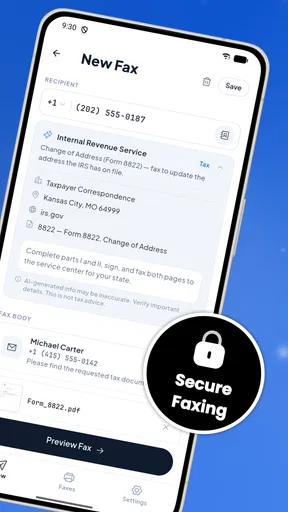
Sending a fax is as easy as selecting your document, typing in the recipient’s fax number, and hitting send. The app also gives you the option to add a cover page, which is a nice touch for those professional vibes. The whole process is straightforward and, most importantly, efficient.
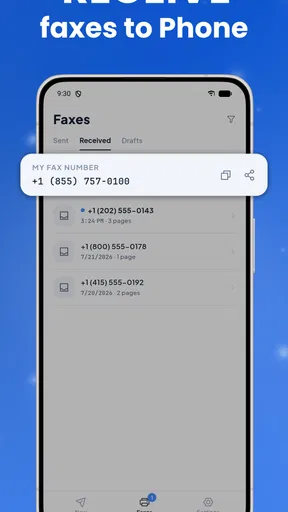
Receiving faxes is just as simple. The app provides you with a dedicated fax number, and any incoming faxes pop up in your inbox. It’s like having your own little fax machine tucked away in your pocket. The organization of received faxes is top-notch, making it easy to keep track of everything.
What to expect from a mobile workflow
A phone is convenient, but it is also a smaller place to inspect a multi-page document than a desktop screen. I would zoom in on fine print before sending and, where a form has boxes or a required signature line, check those details on every page. If the document is long or especially important, reviewing the original on a larger screen or asking the receiving office whether it accepts another submission method may be the more dependable choice.
The same practical caution applies to incoming paperwork. A fax arriving in an app inbox can be easier to access than a machine in an office, but you still need a habit for finding and handling it later. Give important documents a clear place in your own filing routine, and avoid leaving sensitive pages visible on a shared or unlocked phone. The convenience of mobile access does not replace careful handling.
Who will get the most from it
I would recommend considering FaxFlow if you fax occasionally, travel between locations, or need to send paperwork without access to office equipment. It can also suit a very small operation where faxing is necessary but infrequent. The appeal is strongest when the document is already digital or can be captured clearly with a phone camera, and when avoiding a trip to a dedicated fax service matters more than having a large-screen workflow.
It is less compelling for someone who sends a high volume of documents every day, needs a shared office process, or must review complex paperwork in detail before submission. A conventional office fax setup or a desktop-based document workflow may be easier to manage in those cases. Likewise, if the receiving organization accepts a secure online form or direct email, that route may be simpler than faxing, provided it meets the organization’s requirements.
Security and Privacy
One thing I know people often worry about with apps like these is security. Rest assured, FaxFlow takes your privacy seriously. The app utilizes end-to-end encryption, so your documents remain secure and confidential. It’s comforting to know that your sensitive information isn’t floating around unprotected.
Even with a security feature in place, I would still treat a fax as sensitive material from capture to delivery. Avoid photographing documents where other people can see them, double-check the recipient number, and be deliberate about which files you select. Encryption can protect information in transit, but it cannot correct a typo in a fax number or prevent someone from viewing a document on a phone you leave unattended.
Cost, access, and the practical trade-off
Now, let’s talk about the moolah. FaxFlow offers a range of pricing plans, from pay-as-you-go to monthly subscriptions. If you’re someone who sends faxes regularly, the subscription plans offer great value. For occasional users, the pay-as-you-go option is perfect. There are no hidden fees, which is always a plus in my book.
The app is free to download, but that should not be confused with unlimited faxing at no cost. Its in-app purchases are listed at $9.99 to $199.99 per item, so I would read the purchase screen carefully and confirm what an option covers before paying. If your need is a single urgent fax, compare the displayed offer with nearby alternatives; if you expect to use faxing repeatedly, assess the cost against your actual pattern instead of guessing from a busy week.
FaxFlow is rated for Everyone, and it has a 4.7 average from around 15,000 ratings, with about 2,100 written reviews and over 50,000 installs. It was released on March 12, 2024, and version 1.0.1 requires Android 6.0 or later. Those details make it easy to place the app in context, but they do not tell you whether its purchase options suit your own workload, so I would still make that decision based on the specific terms shown in the app.
How it compares with the usual alternatives
Compared with a physical fax machine, the phone approach avoids needing equipment nearby and makes sense when faxing is an occasional interruption rather than a daily desk task. Compared with visiting a print or office service, it can spare you the trip when your paperwork is ready on your phone. The trade-off is that you are relying on a mobile screen, a camera for paper originals, and a paid service option when you need to send documents.
Email or an online submission portal is often the easier route when the recipient accepts it, especially for documents that benefit from a clear digital preview. But some offices still request a fax, and that is where a dedicated mobile fax app has a specific job to do. I would not choose FaxFlow simply because it can send documents; I would choose it when fax delivery is actually required and the phone-based process fits the document.
Final Thoughts
All in all, FaxFlow - Send Fax from Phone is a solid app that does exactly what it promises. It’s user-friendly, efficient, and packed with features that make faxing from your phone a breeze. Whether you’re in a business meeting, at home, or on the go, this app has got your back.
If you’re looking to ditch the bulky fax machine and embrace the convenience of mobile faxing, give FaxFlow a whirl. You might just find yourself wondering how you ever lived without it.
My verdict after weighing the trade-offs
I would keep FaxFlow in mind as a focused tool for the moment a fax is genuinely needed, rather than as a reason to move every business document onto a phone. Its appeal is the short path from a file or camera scan to a fax, while its sensible limits are the need to inspect pages carefully and choose a purchase option with your real usage in mind. For someone who wants that occasional capability without relying on a nearby machine, it is worth considering; for frequent team use or detailed document work, a larger, shared setup may be a better fit.
Pros
- Easy to use interface for quick faxing.
- Supports multiple file formats like PDF
- JPG.
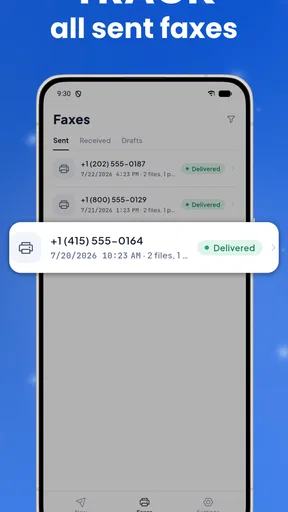
- Fast transmission with real-time notifications.
- Secure encryption ensures data privacy.
- No need for a physical fax machine.
Cons
- Limited free faxes; requires subscription.
- Occasional delays during peak hours.
- Requires stable internet for optimal use.
- Ads in the free version can be intrusive.
- No option for fax editing within the app.
FAQs for FaxFlow: Send & Receive Fax
What platforms is FaxFlow available on?
FaxFlow is available for both Android and iOS devices, providing a seamless experience across multiple platforms. You can download it from the Google Play Store for Android devices and the Apple App Store for iOS devices. Ensure your device meets the necessary OS requirements for optimal performance.
How secure is FaxFlow for sending sensitive documents?
FaxFlow employs robust encryption protocols to ensure that your documents are transmitted securely. The app uses end-to-end encryption to protect your data during transmission, making it a reliable choice for sending sensitive information. Always check for app updates to ensure you have the latest security features.
Does FaxFlow require a subscription or in-app purchases?
FaxFlow offers both free and premium subscription options. The free version includes basic functionality, while the premium subscription provides additional features such as unlimited faxing and priority support. In-app purchases may also be available for specific enhancements, allowing users to customize their experience.
Can I send international faxes with FaxFlow?
Yes, FaxFlow supports international faxing, allowing you to send documents to over 100 countries worldwide. This feature makes it a convenient tool for businesses and individuals who need to communicate globally. Check the app for the latest rates and ensure you have sufficient credits or a subscription plan that covers international faxing.
What file formats does FaxFlow support for faxing?
FaxFlow supports a wide range of file formats, including PDF, DOC, DOCX, JPG, and PNG. This flexibility allows users to send various types of documents with ease. Before sending, ensure your files are in one of these supported formats for a smooth faxing experience.


